
How to create an OpenAI API Key
Create an OpenAI Account
If you don't already have one, visit OpenAI's website and create a new account.
Create a key
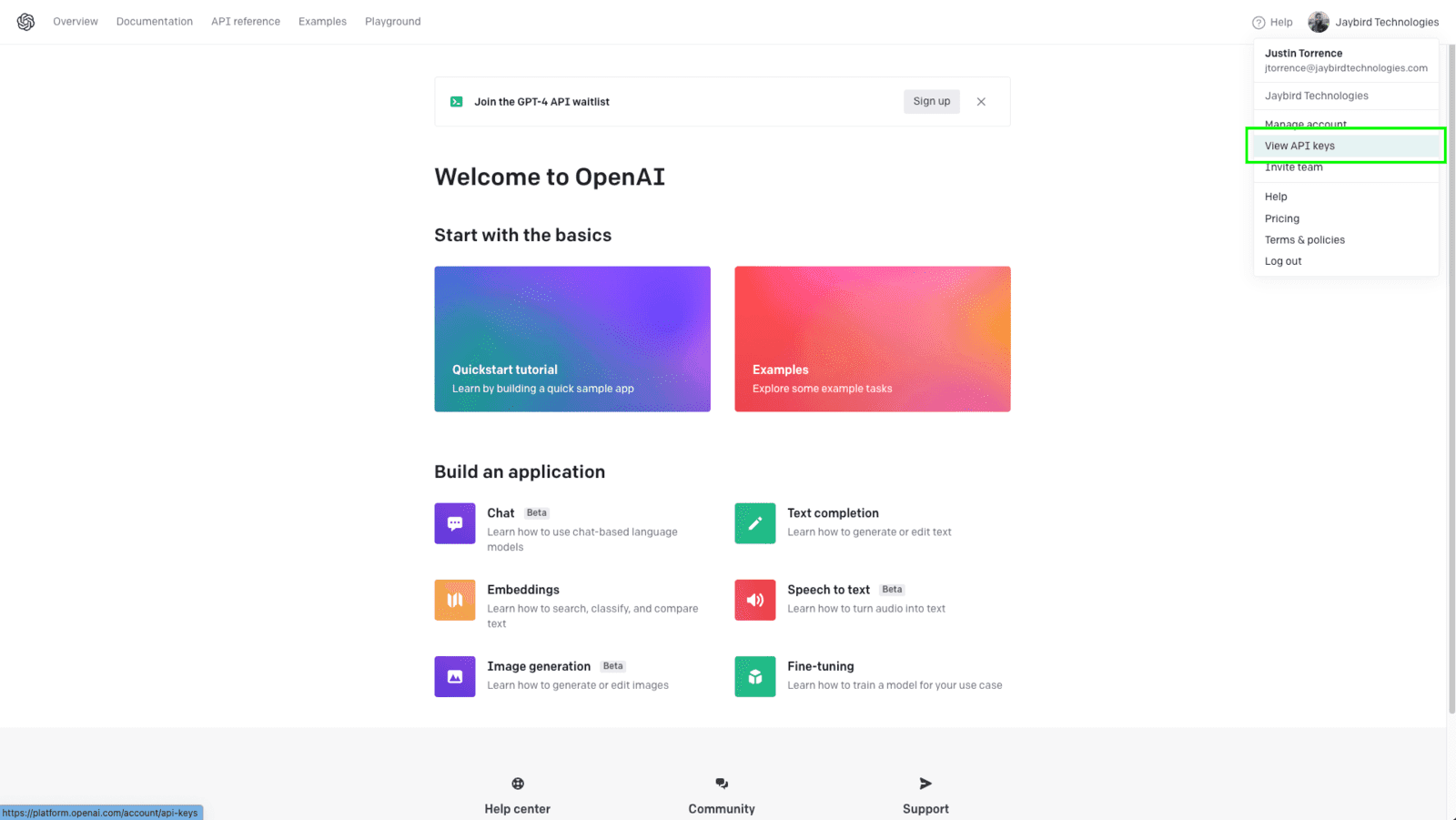
Once you have signed into your account, visit https://platform.openai.com/overview.
-
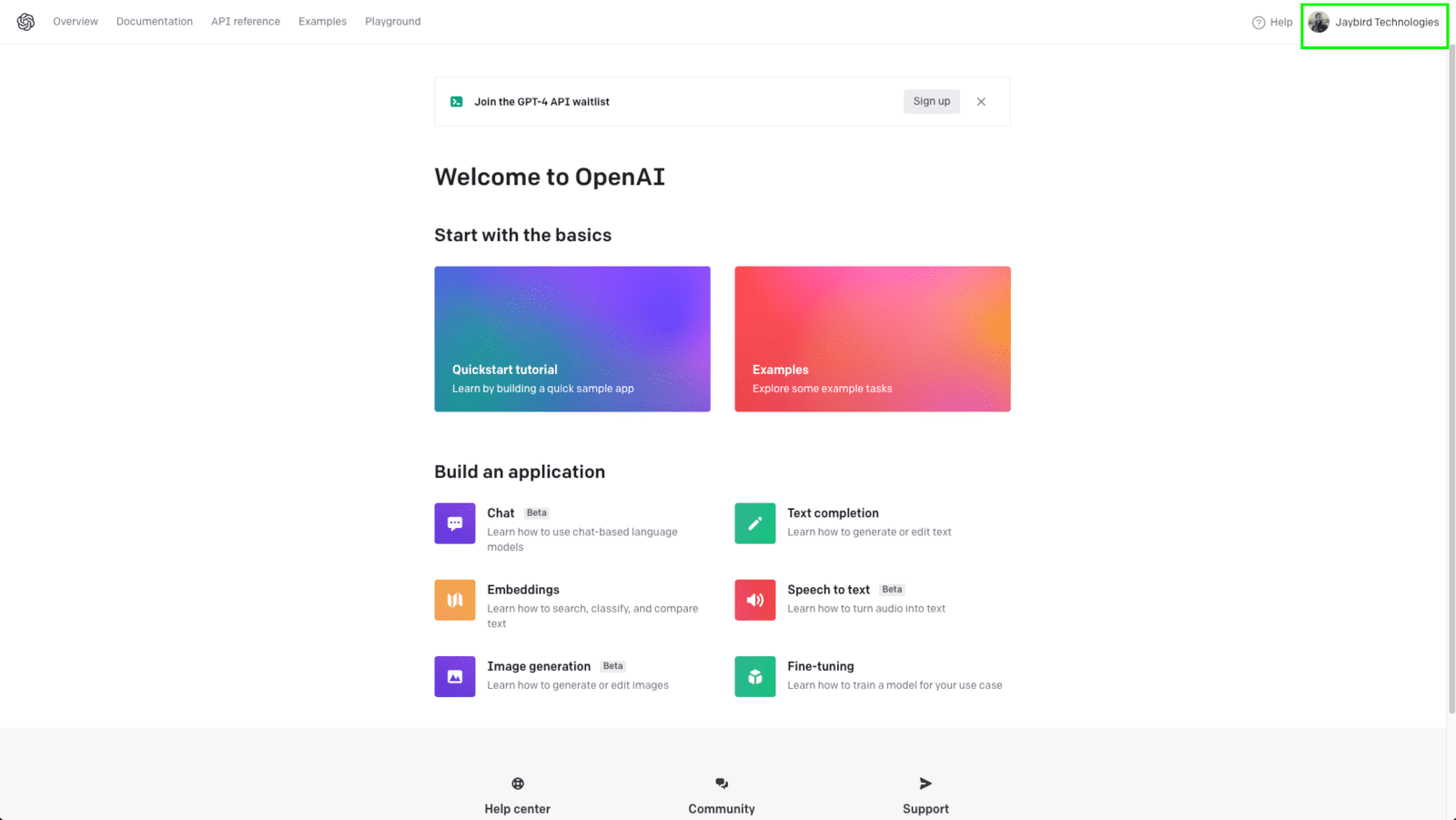
Click on your name or the name of your organization in the top right corner of the page.
-
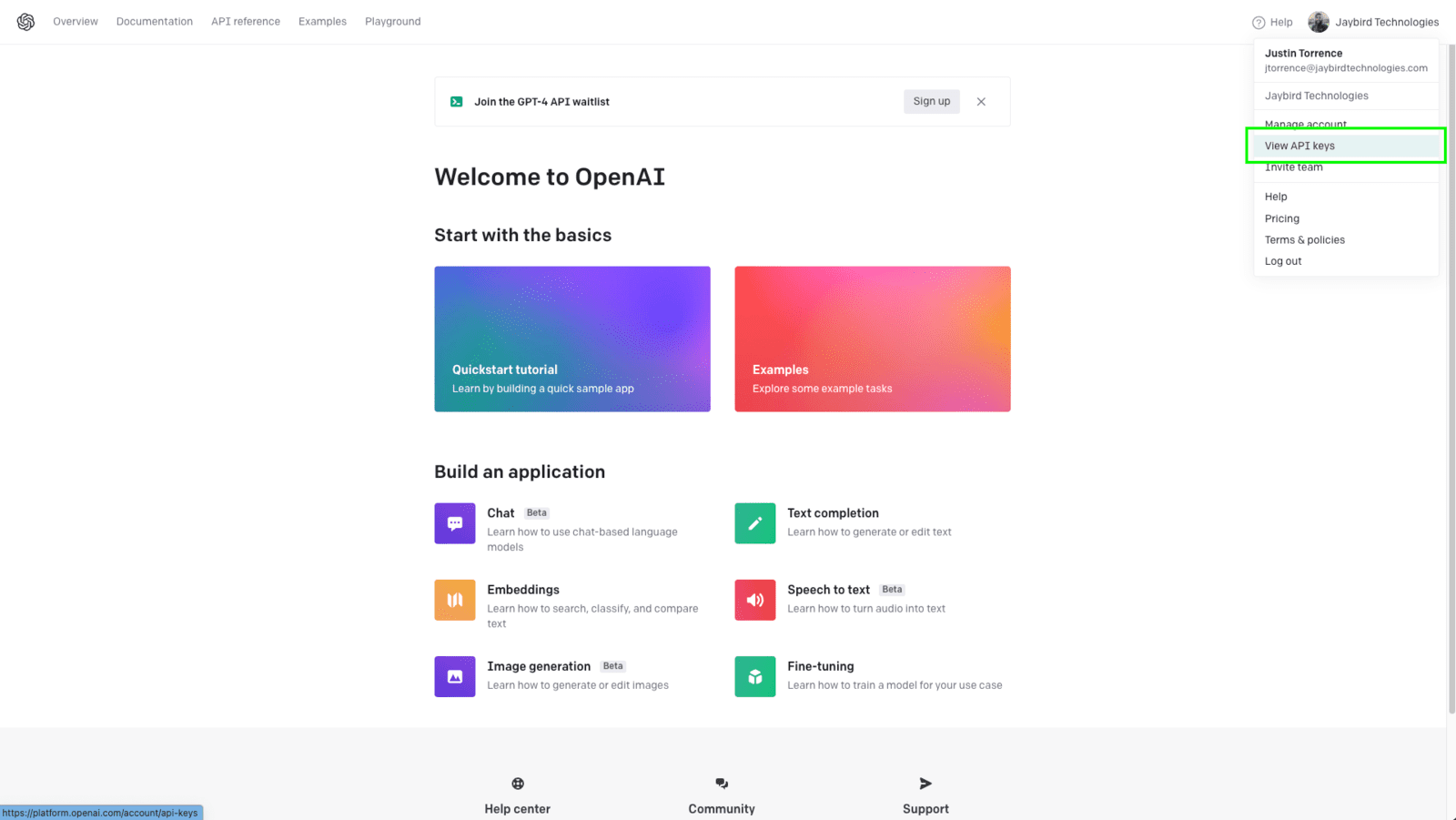
In the drop down menu, click View API Keys.
-
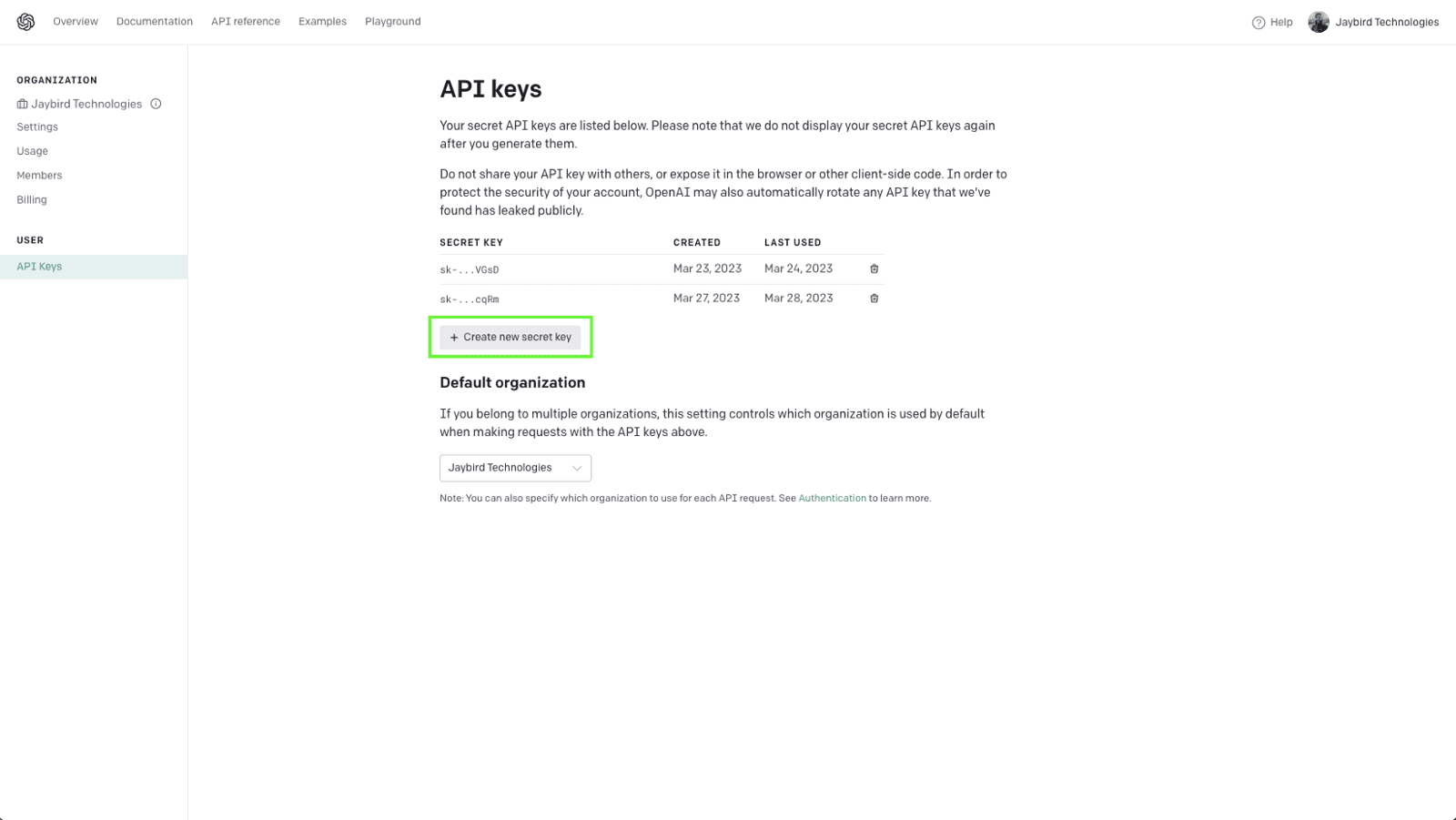
Click the + Create new secret key button.
-
Write down your new key. Once you close this dialog window, you won't be able to view this secret again.
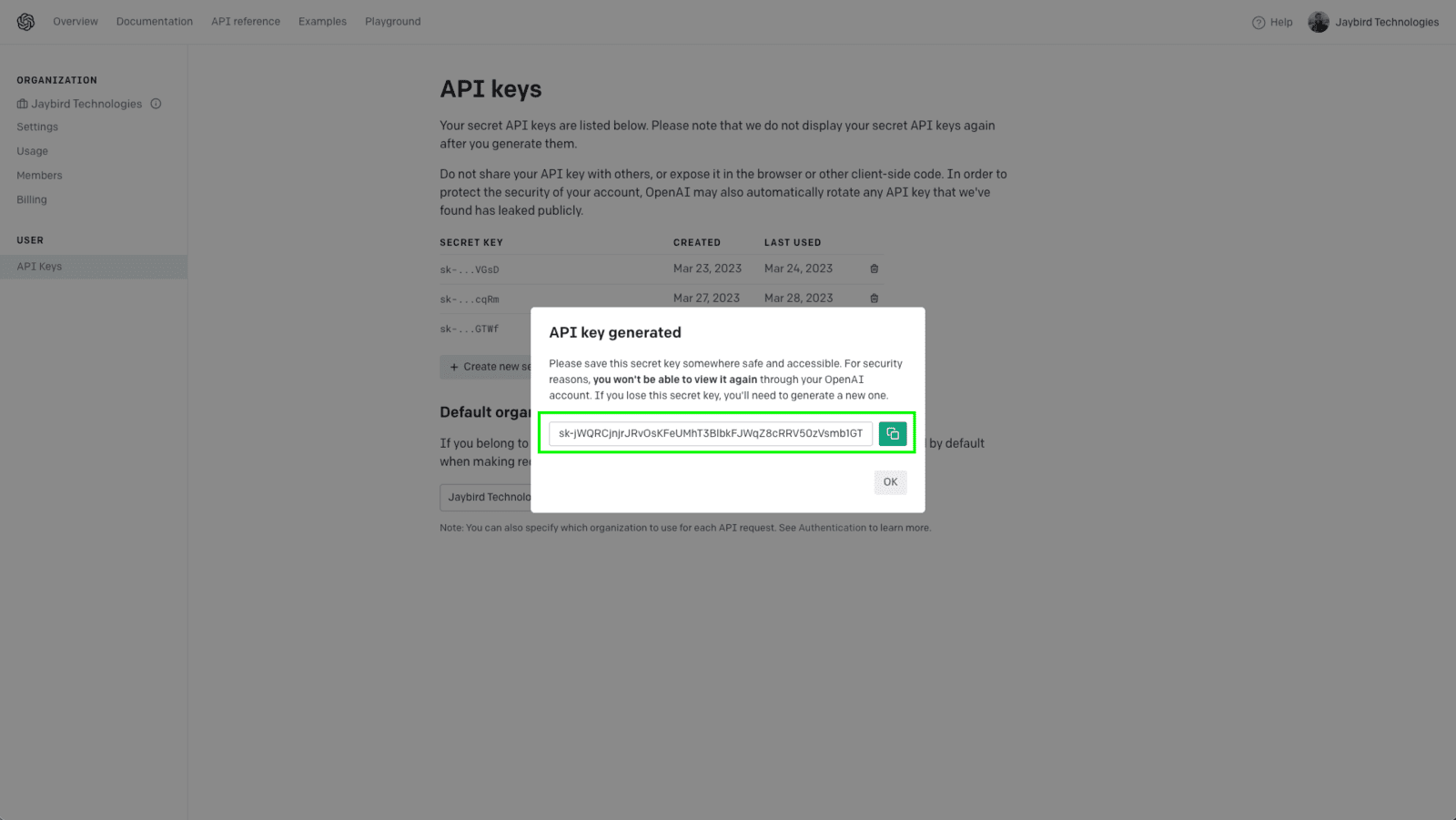
You're done! Now you have an API Key that you can use to build integrations with.
Want help putting your API key to work?
Jaybird Technologies is an AI automation agency that builds AI agents, integrations, and AI-powered workflow automation for small and midsize businesses. If you would rather have the integration built and maintained for you, request a consultation.